For millions of students across the United States, school has become increasingly digital. Assignments, announcements, quizzes, grades, discussions, files, and teacher communications are often managed online, making technology an essential part of the everyday school experience. One of the most widely used learning management systems is Canvas by Instructure. Canvas provides schools and teachers with a powerful platform to deliver course materials, communicate with students, manage assignments, and track academic progress. But while Canvas gives educators a centralized place to manage their classes, the experience for students can still feel anything but centralized.
The reason is simple: every class can be organized differently. One teacher may use Canvas Modules to organize assignments by week or unit, while another may post assignments individually. One teacher may provide detailed instructions and resources in one location, while another may spread information between announcements, pages, files, discussions, and outside websites. Even though every teacher may be using the same platform, the way students interact with each course can vary significantly. This flexibility is one of the strengths of Canvas because teachers can structure their digital classrooms in the way that best fits their teaching style and curriculum. However, what works well for an individual teacher does not always create a consistent experience for a student who is managing six or seven classes at the same time.
Imagine walking into several classrooms where everything is organized differently. In one room, your assignments are neatly placed on a desk. In another, they are inside a filing cabinet. In another, you have to search through several folders to find what you need. Now imagine having to remember where everything is, what needs to be completed, when it is due, whether you submitted it, and whether your teacher has graded it. This is what the digital school environment can feel like for many students. The information is there, but finding it and understanding what needs immediate attention can become overwhelming.
The challenge is not necessarily a lack of information. In many cases, it is the opposite. Students may be receiving information from Canvas, Google Classroom, school email, external educational websites, digital textbooks, class applications, grade portals, and teacher announcements. Each system may contain important information, but students are often left to figure out how all of those pieces fit together. Instead of simply asking, “What do I need to do today?” a student may first have to figure out where to look, which information is current, whether an assignment has already been completed, and what should be prioritized.
For students who struggle with organization, attention, working memory, processing information, or executive functioning, this can create an additional layer of difficulty. The academic assignment itself may not be the biggest challenge. The challenge can be finding the assignment, understanding what is expected, remembering the deadline, locating the instructions, determining whether it has been submitted, and then moving on to the next task. When students have to spend significant mental energy managing the system instead of focusing on learning, school can become unnecessarily stressful.
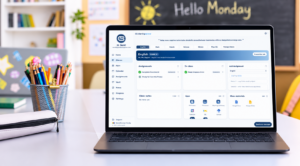
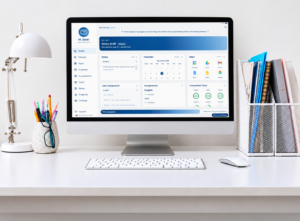
This is where Clarity Space was created to help. Clarity Space is designed to provide students with a streamlined organizational home base where important school information can be brought together in a simpler, more consistent format. Rather than replacing the platforms schools and teachers already use, Clarity Space is designed to help organize the information coming from them. Canvas can continue to be the place where teachers manage their courses. Google Classroom can continue to be used by teachers and schools. Email can continue to be the primary communication tool. Clarity Space simply provides students with a clearer way to see what is happening across all of those different environments.
The goal is to turn a collection of scattered information into one understandable picture. Instead of a student having to remember how every teacher organizes their online classroom, Clarity Space can help present assignments, deadlines, completion status, and other important information in a consistent format. A student can open one place and see what is due this week, what has already been completed, what may be missing, what has not yet been graded, and what needs attention next. The information may still originate from different classes and different platforms, but the way the student sees it can be much more consistent.
This distinction is important. Clarity Space is not designed to make schoolwork easier or reduce academic expectations. It is designed to make the organization surrounding that schoolwork easier to navigate. Students should not have to spend their energy figuring out where their assignments are before they can begin doing them. The organizational process should support learning rather than become another obstacle to it.
Technology has transformed education and created tremendous opportunities for students, but more technology does not automatically mean a simpler student experience. When information is spread across multiple platforms and each class is organized differently, students can easily lose sight of the bigger picture. They may know how to access their classes but still struggle to answer the most basic question: “What do I need to do?”
Clarity Space is designed to help answer that question. It creates a consistent home base where students can see their school responsibilities in a way that is easier to understand and navigate. The classroom can remain Canvas. Communication can remain email. Teachers can continue using the tools they know and rely on. Clarity Space simply helps bring everything together from the student’s perspective.
Because students shouldn’t have to spend their energy searching for schoolwork, figuring out where information lives, or trying to piece together what needs to happen next. They should be able to open one place, see what matters, and get started.
Get Clarity. Because every student, however their brain works, deserves one calm place to see what matters.